Showing posts with label work from home. Show all posts

05 Challenges and Solutions Behind Remote Monitoring this Quarantine

05 Challenges and Solutions Behind Remote Monitoring this Quarantine 


COVID-19 has posed a substantial threat to humankind, spreading like wildfire among all the nations of the world. Various organizations and corporations worry about their employees' safety and have resorted to commencing work from home for their co-workers. 

Telecommuting got a mixed reaction from both- the employers and the employees. One of the biggest reasons behind it is that a lot of employees were never used to the 9 to 5 work schedule at home. Managing a remote workforce is not an easy task, and one needs to deploy special tools to know what their employees are up to at their places. 

Monitoring employees remotely comes with various challenges and risks. And as we all know, you must know the rules before you break them. So here we are, with a list of some of the main challenges of remote monitoring and the solutions to them: 

1. Lack of Communication 


When working at home, it becomes extremely stressful to keep constant communication with your colleagues, mostly because they do not stay in front of your eyes all the time. Though it is possible to host regular discussions via texts and video calls, the lack of face-to-face communication still creates a work barrier. 

Solution- Use a single messaging platform and install it on every employee's system. Make it mandatory for all to share their regular work updates. Encourage them to come up with doubts or queries, hold daily video/phone calling sessions, talk to them about upcoming tasks, etc. You can use various tools and apps like Telegram, Zoom, etc. 

2. Discipline Issues 


Employers already struggle to maintain discipline in the office premises; it becomes more painful to do so among the remote workforce. How do you know if your co-workers are serious with the assigned task when working directly from their bedrooms? Apart from general monotony, WFH also comes with some grave distractions. 

Solution- Employers can use tools to track and monitor their employees' regular activities and take strict actions against the ones who do not follow the rules. This way, the employees being aware of the surveillance, will keep up with the work pace and take their office work seriously. 

3. Data Breaching 


One of the biggest reasons why employers fear letting their employees working from home is that they fear the potential threats to the company data. The chances of data leaking and breaching increase exponentially when people work on public WiFis using their BYODs, and have little to no knowledge of the malware that they may have got from any random website. 

Solution- Create separate office profiles for each employee, starting from Google account to Thunderbird, Dropbox, Skype, and every other app/tool used for handling official data. Keep a Record of these profiles and their passwords, monitor them regularly, and check for any suspicious activities. Take strict actions against the employees who do not abide by your company's rules. 

4. Increasing Goldbricking 


Goldbricking is the phenomenon of pretending to work for longer hours and getting paid for doing far less than the total work assigned. It is no brainer that it becomes strikingly prevalent in distant workforces. Workers aren't usually worried about the deadlines as there remains no one around to hurry them up, leading to a decline in overall productivity. 

Solution- As already mentioned above, using monitoring tools and software will let you track each and every activity of your co-workers. This way, you can record the actual working and non-working hours along with a list of all the frequently used apps and visited websites. You can assess the employees based on this information and discuss their work with them accordingly. 

5. Reliable Tool 


There are various best remote monitoring tools and software available in the market, but all of them differ in features and functions. You cannot rely on any random tool, as most of them are not really safe. As a matter of fact, the best tools are pretty expensive. 

Solution- Look for the reviews of all the tools and book a demo for the ones who offer a free trial. There are various options in the market, like EmpMonitor, ActivTrak, Time Doctor, etc. that offer the best features at equitably competitive prices. Be sure you choose any tool according to your company's size and the features that you need for monitoring. 

Well, if you want to dive more about tool, you can have a look at this video on: Manage Remote Work Easily With Powerful Monitoring Software: EmpMonitor(EmpMonitor AV Ad)


Conclusion 

Managing your remote employees is, indeed, a tedious task, but you can do it without any hassle by keeping a constant eye on them. There are various software and tools available in the market that let you do so in real-time. Assess the best one that could work for your business and deploy it for a better outcome. 


How To Choose The Best Productivity Monitoring Software For Your Business?


Nowadays, employee monitoring software is highly gaining attention as companies take more into ensuring the overall productivity and data security of their business as well as employees. But, it's highly important to choose and use employee monitoring software. Here are some of the simple tips to help you select the best monitoring software for your business. 

Set Up Your Business Objectives and Goals


Before opting any productivity monitoring software, here are a few questions which you need to consider - 
What are the objectives and goals of your business? How can monitoring software be important? 

The response will affect numerous factors, such as selecting productivity monitoring tools with features best suited to your business, how to enforce them, data protection measures, and transparency.

Search Well In The Market 


Searching for the right tracking tools for workers is not something that should perform in haste. It is best to study the market before making a decision, as most employee monitoring software vendors are trying to incorporate as many features as possible to make their products appear less simple. In reality, some of these features end up being too heavy load, consuming a lot of energy, slowing down the computer work cycle, and failing to satisfy larger businesses. Thus we could say, best productivity monitoring software does not depend upon the number of features it possesses, but it depends on how effectively it works. 

Review The Top Software In The Market


Shortlist the software providers which you came across. Here are the two ways how you can do - 


  1. Searching for the online review in various platforms like saastrac.com or Capterra will help you the best. It is considered to be one of the most popular ways to get the best software. 
  2. One way to do this is to find tech vendors that are experts in the area. Those with thorough experience of tracking everything performed by employees. It will give you a better idea of what features you need, which will save you the trouble of deciding what you don't need.

Contact The Customer Support Team 


It is said as an important factor to consider while implementing any particular Computer Tracking Software. It recommends contacting the customer support team, how responsive they are and how they will respond in case of an emergency. These people also help you in making the right choices that best suit your business needs. 

Select The Monitoring Software That Will Help You Grow


Over time corporate priorities shift as the organization expands. You need to ensure that any employee monitoring software you choose offers scalability. It helps the organization to adopt these tools. Consider the roles below - 

  • Transparency 


Implementation of employee tracking software for employees can raise some concerns among the workers. Therefore, the best thing to do is to keep everybody on the same page. Be open about monitoring, and also set well-defined monitoring policies that provide adequate monitoring information.

  • Flexibility 


How flexible and robust productivity monitoring software is a clear example of the long-term user experience. With your company rising, a good employee management program should be able to integrate all servers and applications.

  • Pricing 


The next thing to remember after the features are pricing. This software provides different pricing plans according to the included features. You would like to invest in software monitoring which not only improves efficiency but also saves time and money. 

One thing to note, there is various software that provides free trials but with a minimum number of users. You can search, download, test anything that matches your business. 

Conclusion 


The process of selecting the best productivity monitoring software is different for each company, but taking into account certain realistic tips. You are on the road to selecting the right tool for your company. Go ahead!

3 Employee Monitoring Tool, That Will Revolutionise Remote Working Employees


Currently, no vaccine to fight Corona till date!
No particular medicine to cure infected people!
Then how to control this virus?

WHO- World Health Organization, a US based international public health agency has declared only social distancing can help to handle this never wracking situation.

Result- The entire planet has to be sent in lockdown state.
Schools, shutdown!
Malls, shutdown!
Offices, shutdown!
Every other place which demands social gathering has closed down.

However, fortunately, the tech industries have found a smart method to evade safely from this situation without getting their stocks down.
Yes, they have adopted the remote working culture to their employees.  
We know, after reading this, many of you guys have stricken with a question?

Is the remote working employee would be as productive as they were in their workplace?

Well, the answer to this question is uncovered by us in our next segment.

So please stay tuned with us and keep on reading.

Take Remote Working Culture In To Action Using Employee monitoring software.


So what is Employee monitoring software? Essentially, this is a program designed to help the company's manager track their employees ' computers from a central location. The principal motives behind this innovative idea were:
  1. To map the activities of employees during their working hours.
  2. Seeing who and how an employee is handling the project and get it completed before the dead end.
  3. Help discover and sharpen the skills of the employees.
  4. To help team leaders and heads to assign the task.
  5. To see the accurate login and logout time of a worker. Imagine what will happen if you are getting to handle all these even when your workforce is not in the office and are working from their remote areas. Isn't it amazing? Of course yes! Now the second question that arises which tool is best and is it affordable? Well, you can get the answer to this question in our next segment.

3 Employee Monitoring Tool To Call Remote Working Culture In Action.

In this section of article you are going to get most efficient tools to monitor remote working employees.


EmpMonitor: 


Designed to attain full visibility and complete command over employees' computer activities, EmpMonitor is one of the best tools to handle employees' productivity and to map their working hours accurately. Talking about its amazing features, it has the ability to track browsing history, see the top used websites, login and logout insights of your employees very accurately. The best part using this tool is, it has the ability to take screenshots automatically after every particular time interval and get it stored on the cloud.


Veriato:


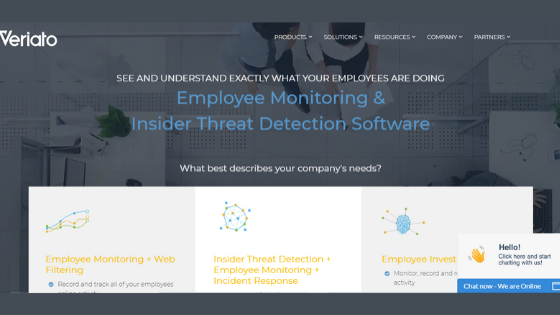
This tool is basically created with the motive to stop data breaching by working in five stages. These five stages include-
  1. Monitoring an employee's computer activity by keeping an eye on the website visited, emails, chats, etc.
  2. Analyzing the pattern that might look different from basic ones.
  3. Alerting the security team by sending the alarm.
  4. Seeing, and then
  5. Taking reaction to that.

By performing all the above actions this tool also helps you to see the working hours and productivity of an employee.


Work Examiner:


Launched in the year 2006, this is one of the best tools when it comes to handling the productivity of an employee. Basically, it covers three areas:
  1. Working hours of employees.
  2. Web usage by the employees, and.
  3. Monitoring the skills of the employees.


Let's wrap it up


Though remote working for employees is not a new culture and almost a quarter of the US workforce was already used to it, Covid-19 has converted this choice to a necessity. No, there is no point in panic! By the innovative employee monitoring software, you can handle all your employees' productivity the same way as you were doing while sitting in the office. So why to limit yourself, when you have a wingmate like this. Let's stand up and start running your wheels of productivity again.