Showing posts with label employee management software. Show all posts

05 Challenges and Solutions Behind Remote Monitoring this Quarantine

05 Challenges and Solutions Behind Remote Monitoring this Quarantine 


COVID-19 has posed a substantial threat to humankind, spreading like wildfire among all the nations of the world. Various organizations and corporations worry about their employees' safety and have resorted to commencing work from home for their co-workers. 

Telecommuting got a mixed reaction from both- the employers and the employees. One of the biggest reasons behind it is that a lot of employees were never used to the 9 to 5 work schedule at home. Managing a remote workforce is not an easy task, and one needs to deploy special tools to know what their employees are up to at their places. 

Monitoring employees remotely comes with various challenges and risks. And as we all know, you must know the rules before you break them. So here we are, with a list of some of the main challenges of remote monitoring and the solutions to them: 

1. Lack of Communication 


When working at home, it becomes extremely stressful to keep constant communication with your colleagues, mostly because they do not stay in front of your eyes all the time. Though it is possible to host regular discussions via texts and video calls, the lack of face-to-face communication still creates a work barrier. 

Solution- Use a single messaging platform and install it on every employee's system. Make it mandatory for all to share their regular work updates. Encourage them to come up with doubts or queries, hold daily video/phone calling sessions, talk to them about upcoming tasks, etc. You can use various tools and apps like Telegram, Zoom, etc. 

2. Discipline Issues 


Employers already struggle to maintain discipline in the office premises; it becomes more painful to do so among the remote workforce. How do you know if your co-workers are serious with the assigned task when working directly from their bedrooms? Apart from general monotony, WFH also comes with some grave distractions. 

Solution- Employers can use tools to track and monitor their employees' regular activities and take strict actions against the ones who do not follow the rules. This way, the employees being aware of the surveillance, will keep up with the work pace and take their office work seriously. 

3. Data Breaching 


One of the biggest reasons why employers fear letting their employees working from home is that they fear the potential threats to the company data. The chances of data leaking and breaching increase exponentially when people work on public WiFis using their BYODs, and have little to no knowledge of the malware that they may have got from any random website. 

Solution- Create separate office profiles for each employee, starting from Google account to Thunderbird, Dropbox, Skype, and every other app/tool used for handling official data. Keep a Record of these profiles and their passwords, monitor them regularly, and check for any suspicious activities. Take strict actions against the employees who do not abide by your company's rules. 

4. Increasing Goldbricking 


Goldbricking is the phenomenon of pretending to work for longer hours and getting paid for doing far less than the total work assigned. It is no brainer that it becomes strikingly prevalent in distant workforces. Workers aren't usually worried about the deadlines as there remains no one around to hurry them up, leading to a decline in overall productivity. 

Solution- As already mentioned above, using monitoring tools and software will let you track each and every activity of your co-workers. This way, you can record the actual working and non-working hours along with a list of all the frequently used apps and visited websites. You can assess the employees based on this information and discuss their work with them accordingly. 

5. Reliable Tool 


There are various best remote monitoring tools and software available in the market, but all of them differ in features and functions. You cannot rely on any random tool, as most of them are not really safe. As a matter of fact, the best tools are pretty expensive. 

Solution- Look for the reviews of all the tools and book a demo for the ones who offer a free trial. There are various options in the market, like EmpMonitor, ActivTrak, Time Doctor, etc. that offer the best features at equitably competitive prices. Be sure you choose any tool according to your company's size and the features that you need for monitoring. 

Well, if you want to dive more about tool, you can have a look at this video on: Manage Remote Work Easily With Powerful Monitoring Software: EmpMonitor(EmpMonitor AV Ad)


Conclusion 

Managing your remote employees is, indeed, a tedious task, but you can do it without any hassle by keeping a constant eye on them. There are various software and tools available in the market that let you do so in real-time. Assess the best one that could work for your business and deploy it for a better outcome. 


Employee Management Tool- Manage Your Workforce Effectively With Smartness.


Are you dealing with chaos when it comes to looking after the growth of your employees with complete accuracy and facing issues regarding managing their tasks ?
Well, I am assuring you that reading this article till the end will help you to get rid of each problem related to Employee Management in your organization.

What is Employee Management?


People often have misconceptions about employee management. This is because they usually get restricted from seeing the bigger picture of it. 

Employee management is not only about increasing employee's productivity and sales, but it is much more than that. It is a process of identifying where and why some of your employees are lacking in their respective tasks. 

It is way more than keeping an eye on the employee's activity during production hours; it is the collection of various tactics, tools, and procedures to regulate, track, and communicate with the employees who are called the backbone of an organization.

In short, employee management is more about making your employees perform better and enhance their productive power.


How much does a good employee management can help an organization to grow?


Let's drag yourself into a situation where you are the CEO of an organization. A client with golden eggs comes to you.

Now you want the quick selection of those employees who have the skills required to complete the task for that particular client.

What do you think, digging a well on fire, is a smart approach?

No, right!

Conventional employee management is a skill that, if applied supremely, can help an organization to find the hidden talents of their employees, which they can later utilize to assign the task.

Perks of high-grade employee management do not end here. Establishing a great management team can help an organization to:

  • Communicate with the employees smoothly. 
  • Collaborate with them.
  • Assigning tasks and getting it completed before the deadline.
  • Manage teamwork without any hurdles and many more. 


What are the different Employee Management ToolLet's make A Step Forward Towards The Smart Approach.


In today's tough era of high competition, if you are relying on a group of people whom you are paying monthly for managing your employees and their work, then you might be walking in a wrong path. 

The involvement of technology in our day to day life has made things easier for us, and obviously, employee management is not untouched with that.

Here I am introducing some high efficacy tools that can help you to cross this ocean.

  • EmpMonitor


If you want to manage all the computers in your organization remotely from a centralized location, without any annoyance and pester then nothing is best than EmpMonitor. 
Its excellence doesn't end here. It also caters features like:

  1. Tracking employee's activities in their working hours. 
  2. Real-time monitoring, by taking screenshots at a regular time interval.
  3. Monitoring log hours of your employees from anywhere. 
  4. Maintaining and storing attendance records automatically. 

  • Time Doctor


Time doctor is an in-depth employee monitoring software that proffers advanced features to track productivity hours and helps to manage workforce flawlessly.

The list of features offered by Time doctor are:

  1. It serves to track records of employee's computers by taking a screenshot at regular intervals.
  2. It assists you by keeping a record of highly used apps and websites.
  3. It gets integrate easily with other project management tools and hence helps to execute tasks even more prosperous. 

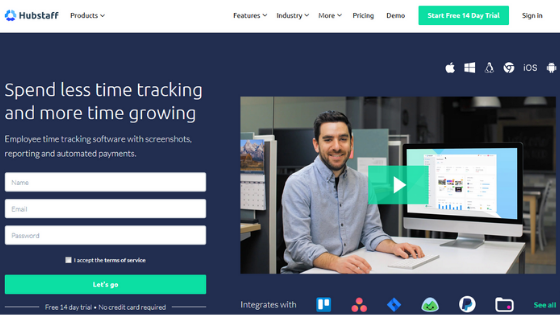
  • Hubstaff


Hubstaff is another most efficient tool that can unlock the power of your workforce and help them to improve their skills. They do it by performing features such as:

  1. Time tracking.
  2. Internet monitoring.
  3. Employee scheduling.
  4. Tracking projects individually. 
  5. Productivity measurements.

Closing words:


Employees are valuable assets of an organization. Their working ability and enthusiasm can make a company, whereas their carelessness can break it too.
Hence, it is very crucial to evaluate their work regularly with effectiveness.  
Although performance evaluations are never fun, especially if the organization is vast. In such cases, taking the assistance of an employee managing tool can help you cross all the hurdles and fuel your workforce with passion. 

Employee Monitoring Software: Essentials You Should Know About


It’s a common goal of companies to increase their production, earn more profit, and achieve their targets on time. And, employees are their backbone to achieve all these goals on time. Today, every company whether it’s a small organization or top fortune company, all of them make use of computers and the internet to get their work done.

Being a responsible employer, it’s your prime duty to keep track of employee’s activities. This act is not unlawful as it makes an effort to increase productivity. Though the internet technology has made our work easy, it also results in wasting of several working hours. We are not here to point out errors in the employees, but to help the organization to recognize loyal employees who give their best to the company and yet remain unidentified. In this article, we will discuss the essentials of employee monitoring in addition to elaborating its associated details.

Types of monitoring software.

Productivity centralized

These kinds of tools aimed at increasing production. It figures out whether employees don’t waste most of their working hours, but it doesn’t exploit them at all. With the collected data, employers educate their employees to perform better and achieve success.

Surveillance suite
Employee Monitoring

In case you have suffered from the issues like security breaches, data-leaking or loss of assets in the past, opt for this tool. It helps you in monitoring email list, tracking employee’s sheet, and regulating the activities of employees as well.

Project Management

Monitoring software with advanced analytics let you distribute tasks, track the ongoing projects, and analyze the results. This reporting tool can easily compile with the recently established procedures and research methodology.

Some leading monitoring software

FlexiServer

This monitoring software automates the process of updating attendance logs, monitoring website visits, clicks that take place during the working hours. It can effectively get access to behind firewalls and routers.

EmpMonitor

This software manages the working of all the computers in your organization. You can access this software easily with any authorized device. It’s essentially a real-time monitoring software that allows you to see all the activities that take place instantly. With the alluring features of EmpMonitor, you can optimize your teamwork, and get a better outcome.

Hubstaff

Hubstaff is designed to serve you with GPS monitoring software.  It has the capability of tracking keyboard or mouse activities and can also take screenshots without letting the employees know. 

Benefits of monitoring software

The assistance of monitoring software is not limited to preventing unlawful activity, spotting errors, its benefits go further which are here:-

Rectify the errors: Since monitoring software allows you to spot mistakes that you can rectify on time and avoid coming them back. It saves time that would later utilize to use for other mandatory tasks.

24x7 accessibility: Working of Monitoring software doesn't affect due to change in the time-zones. You can monitor all your branches scattered across the globe. For instance, if you are in Asia, but want to analyze the projects in Australia, monitoring software is the ultimate solution to this.

Better recruitment: Monitoring software let you know the capabilities of employees so that you can achieve the goal of forming a team of proficient. It can foster the selection process, and allow you allot respective designation based on people’s abilities.

Reduces the workload of administration: When you choose a monitoring software with advanced analytics, it reduced almost half of the administrative burden. In this way, they get time to manage other crucial tasks. Since this software automates the payment method, there is no need to maintain payroll management reports manually, which saves a lot of time.

Avoid outpouring of sensitive data, and information: To prevent activities like data theft and other security issues, you should be competent in fetching right decision while configuring the software. No one is skilled, but you can learn the essentials before employing the monitoring software.

Conclusion

These were some necessary details of monitoring software for employees. Working as an employee, you might take this software in the wrong way. But, the fact is, it is beneficial for both the employees and the employer. Monitoring software might get a pat on your back, or reason for your next promotion, so consider its positive aspects instead of criticizing.