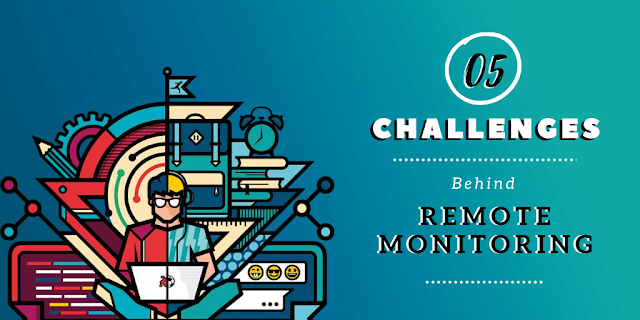
05 Challenges and Solutions Behind Remote Monitoring this
Quarantine
COVID-19 has posed a
substantial threat to humankind, spreading like wildfire among all the nations
of the world. Various organizations and corporations worry about their
employees' safety and have resorted to commencing work from home for their
co-workers.
Telecommuting got a
mixed reaction from both- the employers and the employees. One of the
biggest reasons behind it is that a lot of employees were never used to the 9
to 5 work schedule at home. Managing a remote workforce is
not an easy task, and one needs to deploy special tools to know what their
employees are up to at their places.
Monitoring employees
remotely comes with various challenges and risks. And as we all know,
you must know the rules before you break them. So here we are, with a
list of some of the main challenges of remote
monitoring
and the solutions to them:
1. Lack of Communication

When working at home,
it becomes extremely stressful to keep constant communication with your
colleagues, mostly because they do not stay in front of your eyes all the time.
Though it is possible to host regular discussions via texts and video
calls, the lack of face-to-face communication still creates a work barrier.
Solution- Use a single messaging platform and install it
on every employee's system. Make it mandatory for all to share their
regular work updates. Encourage them to come up with doubts or queries,
hold daily video/phone calling sessions, talk to them about upcoming tasks,
etc. You can use various tools and apps like Telegram, Zoom, etc.
2. Discipline Issues

Employers already
struggle to maintain discipline in the office premises; it becomes more painful
to do so among the remote workforce. How do you know if
your co-workers are serious with the assigned task when working directly from
their bedrooms? Apart from general monotony, WFH also comes with some
grave distractions.
Solution- Employers can use tools to track and
monitor their employees' regular activities and take strict actions against the
ones who do not follow the rules. This way, the employees being aware of
the surveillance, will keep up with the work pace and take their office work
seriously.
3. Data Breaching

One of the biggest
reasons why employers fear letting their employees working from home is that
they fear the potential threats to the company data. The chances of data
leaking and breaching increase exponentially when people work on public WiFis
using their BYODs, and have little to no knowledge of the malware that they may
have got from any random website.
Solution- Create separate office profiles for each
employee, starting from Google account to Thunderbird, Dropbox, Skype, and
every other app/tool used for handling official data. Keep a Record of
these profiles and their passwords, monitor them regularly, and check for any
suspicious activities. Take strict actions against the employees who do
not abide by your company's rules.
4. Increasing Goldbricking

Goldbricking is the
phenomenon of pretending to work for longer hours and getting paid for doing
far less than the total work assigned. It is no brainer that it becomes
strikingly prevalent in distant workforces. Workers aren't usually
worried about the deadlines as there remains no one around to hurry them up,
leading to a decline in overall productivity.
Solution- As already mentioned above, using monitoring
tools and software will let
you track each and every activity of your co-workers. This way, you can
record the actual working and non-working hours along with a list of all the
frequently used apps and visited websites. You can assess the employees
based on this information and discuss their work with them accordingly.
5. Reliable Tool

There are various best remote monitoring tools and software available in the market, but all of them differ in features and functions. You cannot rely on any random tool, as most of them are not really safe. As a matter of fact, the best tools are pretty expensive.
Solution- Look for the reviews of all the tools and book
a demo for the ones who offer a free trial. There are various options in
the market, like EmpMonitor, ActivTrak, Time Doctor, etc. that offer the
best features at equitably competitive prices. Be sure you choose any
tool according to your company's size and the features that you need for
monitoring.
Well, if you want to dive more about tool, you can have a
look at this video on: Manage Remote Work Easily
With Powerful Monitoring Software: EmpMonitor(EmpMonitor AV Ad)
Conclusion
Managing your remote
employees is, indeed, a tedious task, but you can do it without any hassle by
keeping a constant eye on them. There are various software and tools
available in the market that let you do so in real-time. Assess the best
one that could work for your business and deploy it for a better outcome.